Key Highlights
- Health Connect helps you handle all your health connect data in one spot. It puts what you need from supported apps in a clear way.
- It works with things like Google Fit and Samsung Health. This lets people cut down on going back and forth between apps and helps stop confusion.
- If you have an old phone, you can get it from the Play Store. New Android 14 phones already have it ready in the system.
- Your info stays on your device and is locked for safety. This gives you more say over your health connect data.
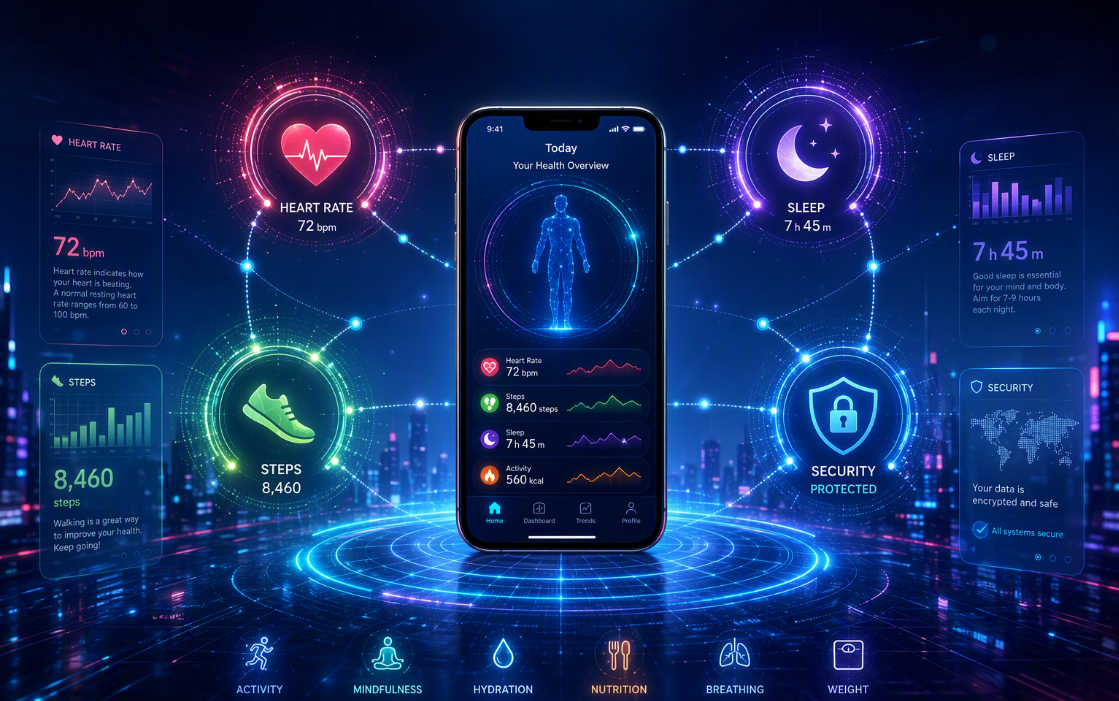
- It can deal with a lot, like your steps, sleep, daily numbers, and food. It handles a wide set of fitness and wellness needs.
- You control app permissions. So only people you pick can read or add your data.
Table of Contents
Introduction
Health Connect makes it easier for you to use android health products. You do not have to switch between different health apps when you want to see your fitness or wellness info. Google and Samsung made Health Connect so you can keep your data in one place. This helps to stop your information from being locked away in separate apps. When you want to know about your daily steps, sleep, or how you feel, Health Connect shows it to you in a simple and clear way on your Android device.
The Evolution of Digital Health Management in India
For many Android users in India, digital wellness tools are growing quickly. At the same time, there is more health app confusion. A lot of these apps keep information in separate places. This makes health data management harder for people. When health data is split up like this, it can get in the way of improving your quality of life.
Health Connect integration helps close the gap by making supported apps share details through one system on your device. It builds on the google fit model, but now it lets apps share data securely across them, not just inside one fitness app. The new support for electronic health record systems shows that it could be used for more things in the future.
From Google Fit to Health Connector: A New Era
At first, many people who use Android turned to Google Fit to keep track of their daily wellness activity. This app acted like a health tool for them. But the Android system had a bigger problem. The different apps each kept records by themselves, so your information stayed spread out. It did not come together to show you one clear view.
That is where Google Health Connect made a change. Instead of being just an app you go to, it acts like a shared layer for all the services that it supports. In easy words, google fit was about tracking and using APIs. Google Health Connect is about sharing health connect data in a safe way between apps, but only if you say yes.
If you use a device with Android 9 to Android 13, you get it from the Play Store. On Android 14 or newer, that app is now in the system. This shows a new time for Android health data and health data management.
Key Milestones in the Development of Health Connect App
Health Connect was first shared by Google and Samsung in May 2022. It is a platform made for sharing health information on Android phones. The public could first try it in a beta version on November 14, 2022. It was then open for everyone in March 2023. With Android 14, you do not need to download Health Connect anymore because it is now built into the system.
Here is a short timeline of change that shows how the app was built for health connect dashboard users and for other Android users.
| Milestone | What changed |
|---|---|
| May 2022 | Google and Samsung announced Health Connect at Google I/O |
| November 2022 | Public beta launched as a downloadable app |
| March 2023 | General availability began and some Google Pixel devices got it pre-installed |
| Android 14 release | Health Connect became an integrated system service inside Android |
Health Connect is a tool on Android phones. It acts as an on-device data repository to keep your health info. It lets apps read or write approved data in a simple way. You have control and can set the permissions for each app. This easy setup makes every release of Android better for people who use connected health apps.
Core Features of the Health Connect App
One of the biggest strengths of Health Connect care is in how it puts supported app data together on your phone. The goal is clear. It wants to help users get a unified view of their health information. This means the apps do not have to act alone.
On Android 14 and newer phones, it is the core part of Android because of the integrated system service. It can do a lot, like keep track of your activity, body measurements, cycle tracking, nutrition, sleep, and vitals. Next, it helps you look at what data it supports and what devices it works with.
Supported Data Types and Device Integration
Health Connect lets you manage over 50 types of fitness data. You can use it to track your daily fitness and some other health info. It keeps all health connect data right on your device. This makes it easy to keep your fitness data and details in order.
You can manage data such as:
- The activity details cover steps you take, how far you go, how many calories you burn, and times you do exercise.
- The body measurements include your weight, height, body fat percentage, and bone mass.
- The information has sleep, cycle tracking, what you eat, and vitals such as heart rate, blood pressure, and blood glucose levels.
- Medical records in fast healthcare interoperability resources format are added, so records can be shared with others more easily.
It can connect with wearables and compatible fitness trackers by using supported apps. This includes Wear OS smartwatches and other devices that can be connected. But, there are still some limits. Some special readings, like ECG and unique numbers from individual device makers, are not on the platform.
Seamless App Syncing through the Health Connect Portal
One reason Health Connect is special is that it helps apps work together. In the past, many apps had their own separate data repositories. This made health app connections hard. You would keep your workout in one app, your sleep in another, and food in a different one. There was no easy way to join all that information.
Fitness apps are now working with Health Connect. This change came as fitness apps roll out Health Connect integrations. The platforms that support this include samsung health, Fitbit, google fit, MyFitnessPal, Peloton, Oura, Whoop, WeightWatchers, Garmin, and Pavlok. Some early partners were Withings and Leap Fitness. This way, it is easier for users to use medm app data sync across the android system.
Still, syncing does not work the same in everhttps://dailyhappee.com/y app. Some apps can read and write data. Others only write to Health Connect. So when you set up your portal or app links, check the permission options. Look at which actions each connected service can do.
Security, Privacy, and User Control in Health Connect Care
If you care about privacy, Health Connect care keeps that in mind. The health informatics platform saves user health data on the Android device. Your health data will be kept safe in encoded form. It does not send everything right away to the cloud.
You get detailed controls over who can use your information. You can say yes or no to each app and each type of data. You can check who got access, pick where your data comes from, and remove what the app keeps. These privacy tools help you see how this app is different from other health apps like google fit.
Protecting Your Personal Health Information
Health Connect keeps your health data safe by storing it only on your device. It uses encrypted form to lock it away. This means your user health data is not sent to online services by default. Data leaves your device only if you pick that option in apps. That way, you get more control over what happens with your information.
On Android 14 and later, you will see Health Connect in the android settings menu. It is easy to use. You can give or take back permissions for each app and for each record type. This control lets you choose who can read your health data and who can do the writing of user health data.
Health Connect is different from most wellness apps. It works like a place where you control your data instead of being the main app that stores it all. You get to see which apps read your info. You can pick which app should be in charge when two apps track the same thing. You can also remove any record you want.
How Health Connect Compares to Other Health Apps (Including Google Fit)
Health Connect and Google Fit often get mixed up, but they do things in different ways. Google Fit was made for fitness and had its own app with different tools. Health Connect is not an app by itself. It works on Android and lets apps safely share records with each other. As Google Fit APIs get closer to being closed, Health Connect will be the main way people share health information on Android.
This change is important for users, major fitness platforms, and android app developers. Health Connect does not need just one app to handle everything. It lets many services share data in one system with set permissions. This can work well with tools like a medm health diary if integrations are ready.
Key differences include:
- Google Fit focused just on its own tracking platform, but Health Connect lets apps share data with each other.
- Google Fit APIs are getting shut down. Health Connect is the new direction for Android.
- Health Connect keeps your data safe. It stores it on your phone in encrypted form.
- Many major fitness platforms now use Health Connect. They do not depend on just one app, and share data between each other.
Conclusion
Health Connect is a new way to help you take care of your health. It gives you a platform with easy tools, strong security, and simple steps. You can connect many types of data and devices without any problems. This means you can handle your health better and feel more in control.
Your privacy is always kept safe. You get to decide how your health info is used. You will feel good knowing your personal info is protected while you work on your health.
Using Health Connect can help you live better and fit your needs. If you want to improve the way you manage your health, try Health Connect today.
Is Health Connect secure for managing health data in India?
Yes, Health Connect care keeps your health data safe. It saves user health data on your device in encrypted form. You can set granular permission controls for each app and data type. The system works with many devices, starting from Android SDK version 28. This way, many android users can manage health data in a secure way.
What types of devices and apps can be linked with Health Connect?
Health Connect integration works with many apps like Samsung Health, Google Fit, Fitbit, MyFitnessPal, Peloton, Oura, Whoop, and Garmin. It can get data from Wear OS smartwatches and compatible fitness trackers too. Some things are still limited because individual device makers sometimes keep special metrics in their own system.
Are there any charges for using the Health Connect app or portal?
Based on what is known, Health Connect comes with Android health sharing. You can use the Play Store to download Health Connect on older phones. If you have a newer Android 14 phone, it will already be in the system app bar and in settings. You do not need an active medm subscription to use the main Health Connect portal.